AndroidFree on Google Play today
Your skin, understood by Lumi.
Three selfies. One honest read of your skin, in plain words. Then a morning and night routine made for your skin type, your city and your budget.
Made for every skin tone and budget
01Quick skin test
Four questions. A first read.
No camera and no sign-up. Answer four quick questions and Lumi makes a first guess at your skin type, what to look for on a label and which demo products fit.

4 questions
Your first read is ready. Enter your email below to see it.
Your first read is ready
LockedA quiz can only guess. The app's face scan reads your actual skin. Not medical advice.
Four answers make a guess. The app looks closer.
02How it works
The real Lumi, screen by screen.
Ten screens straight from the app's design: home, product check, face scan, report, chat, voice, shop and profile. Keep scrolling to move through them; tall screens scroll themselves as they pass. Everything on them is sample data.
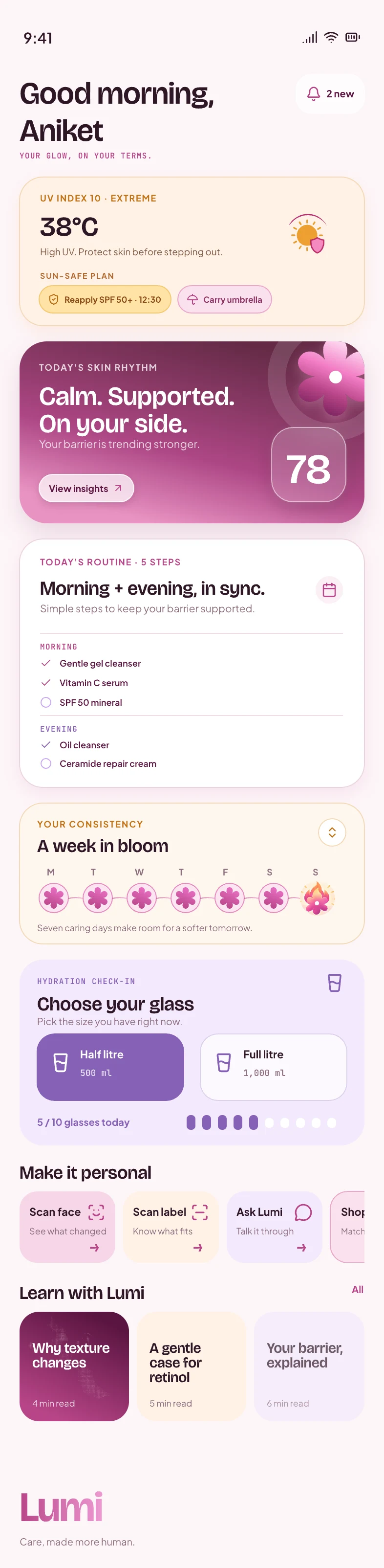



Home
Your day, laid out.
Open Lumi and today is waiting: the UV and a sun-safe plan, your skin rhythm, this morning's and tonight's steps, water and your week in bloom.
Product check
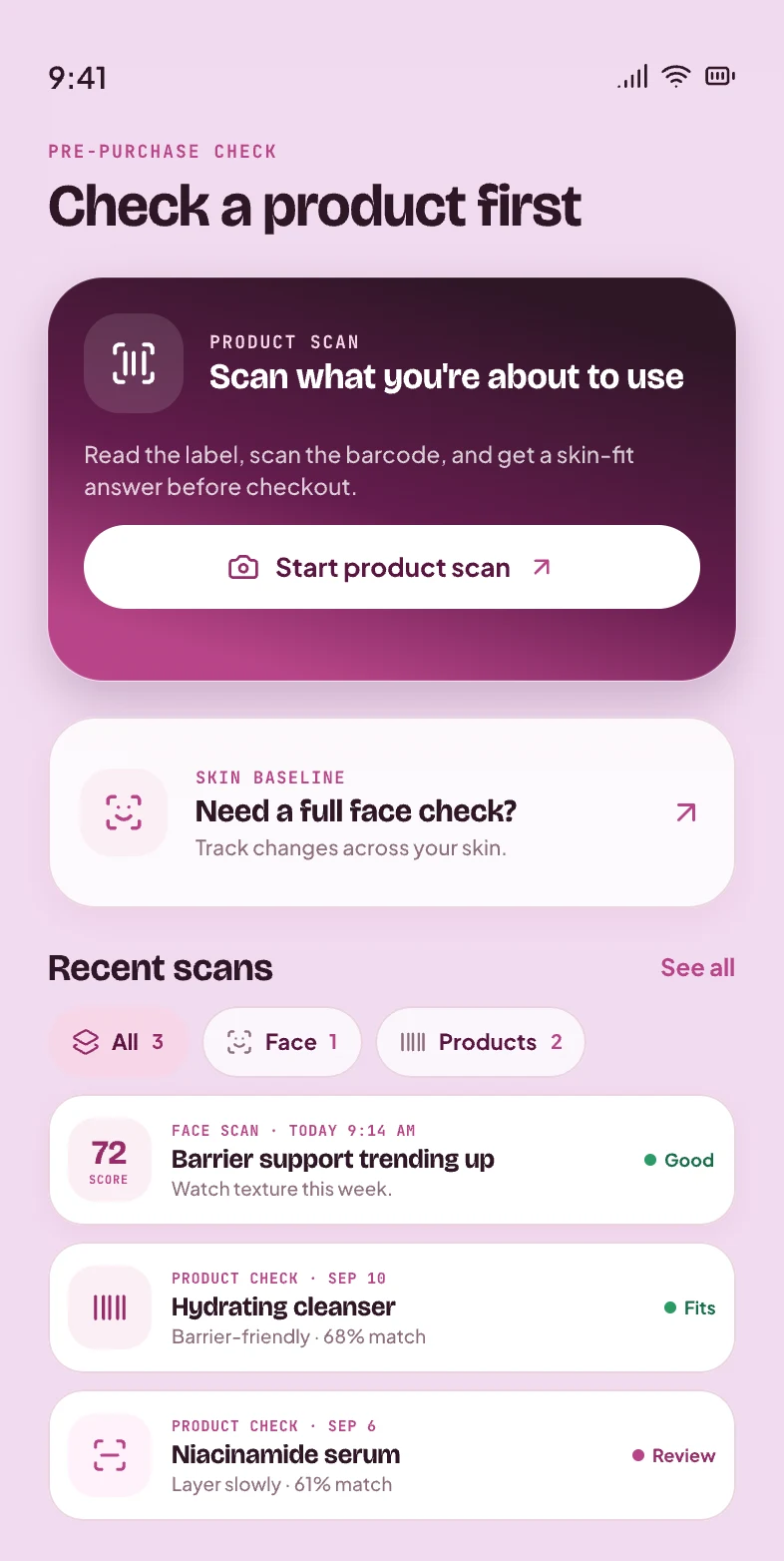
Check it before you use it.
Read the label or scan the barcode and get a skin-fit answer before checkout. Face scans and product checks stay in one history.
Face scan
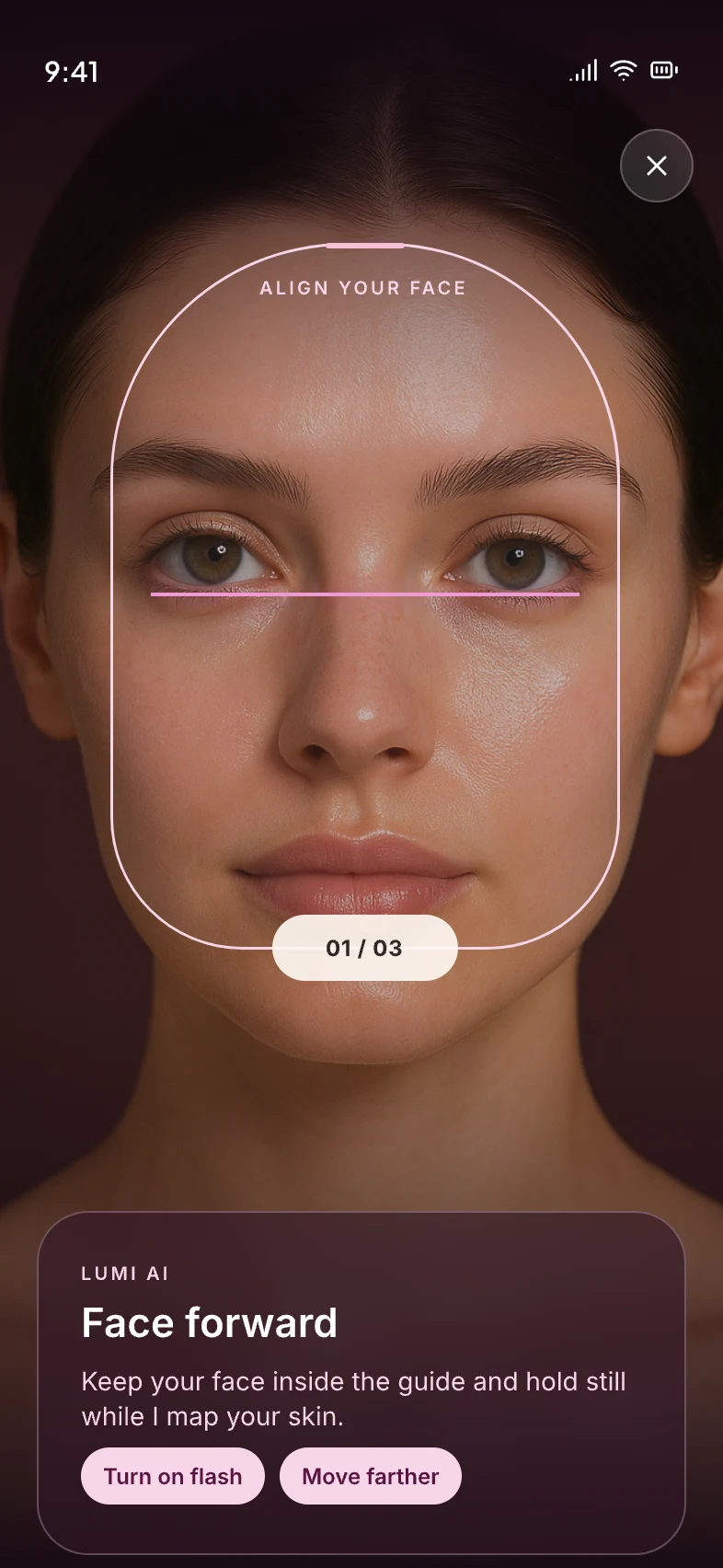
Three angles, guided.
Straight, left and right. A guide frames your face and quick tips keep every photo usable, so cheeks and jawline are read too, not just a straight-on selfie.
First read
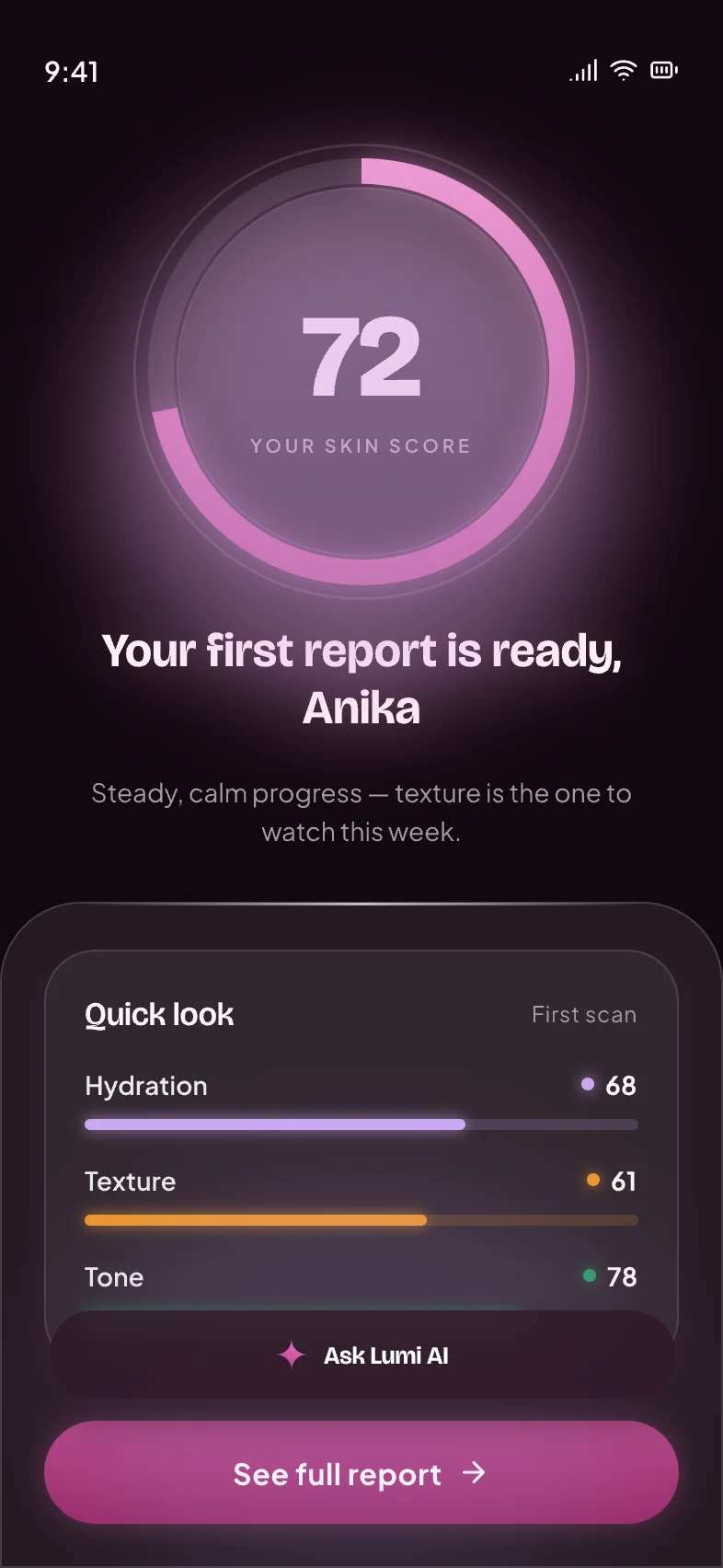
Your score, straight away.
When the scan finishes you get a skin score and a quick look at hydration, texture and tone, plus the one thing to watch this week.
Skin report
See where it shows up.
A mark map across all three angles, measured indicators like hydration and oiliness, where your score could go with the plan, and five steps to follow.
Concern detail
One concern at a time.
Tap a concern to see it up close on your scan, what it usually is, what to look for on a label, and the routine steps meant for it.
Ask Lumi
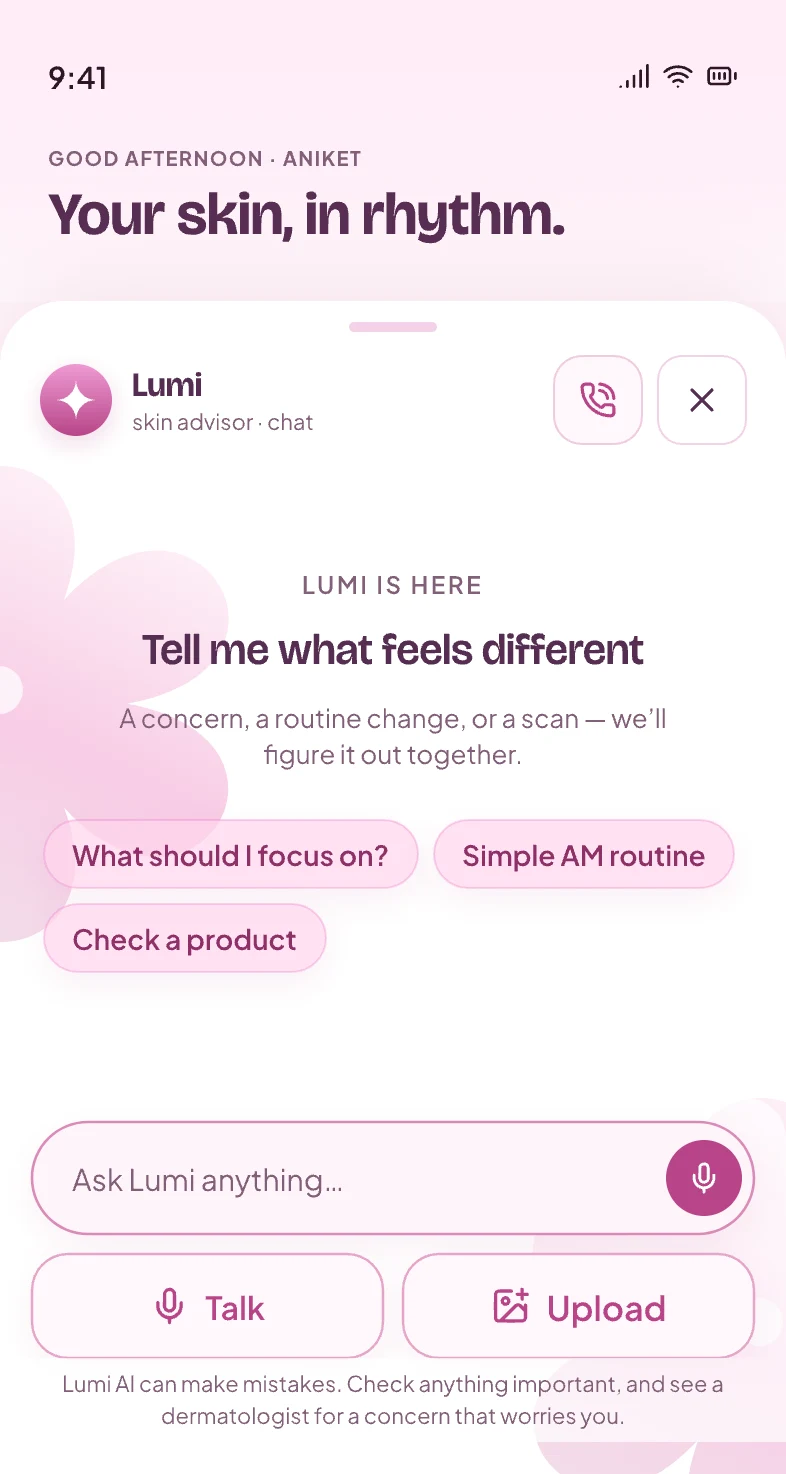
Tell it what feels different.
Type, talk or upload a photo. Lumi answers with your scan and routine in mind, and says plainly when something is worth a dermatologist's look.
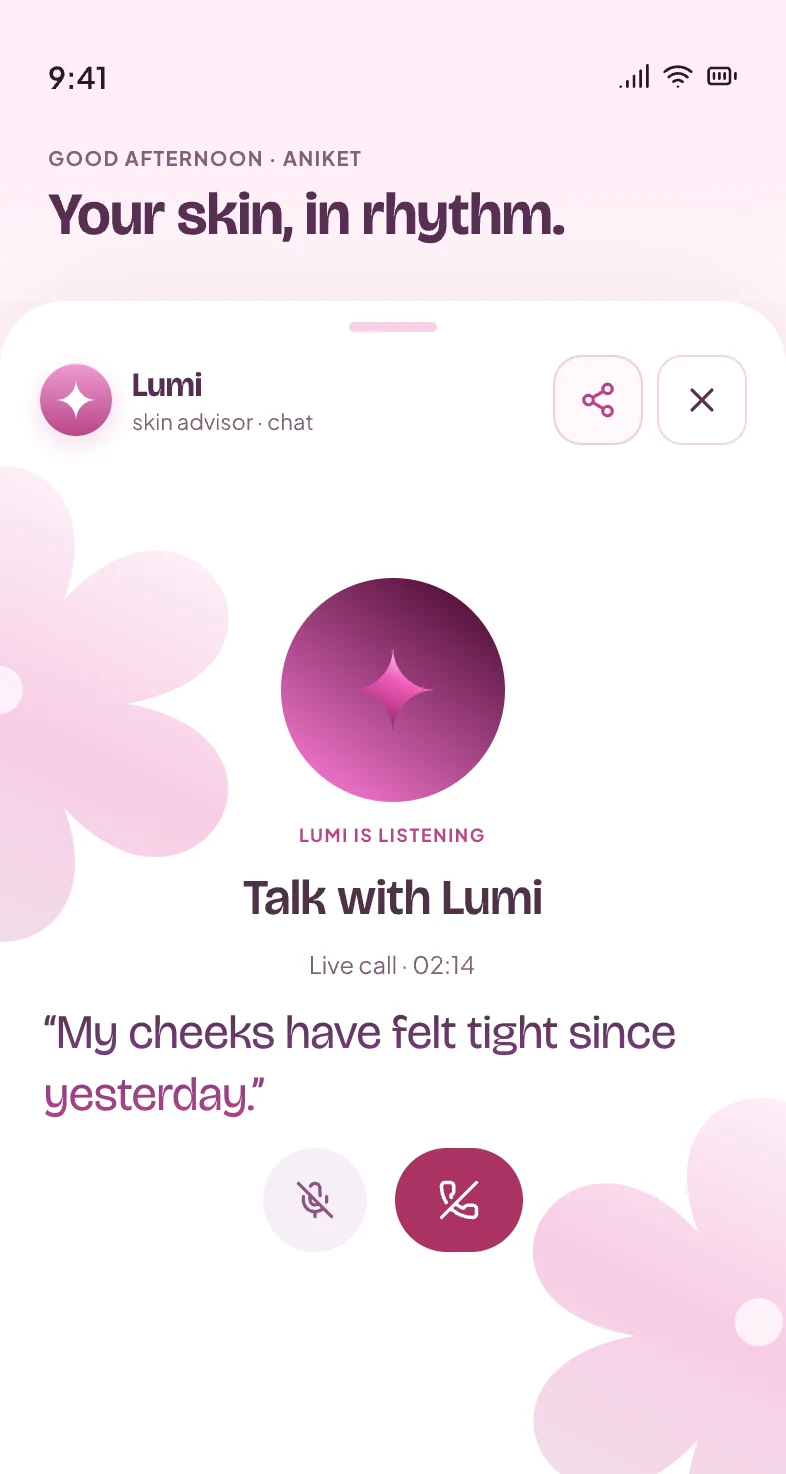
Talk with Lumi
Or just say it out loud.
Start a voice call and talk it through hands-free, the way you would describe it to a friend.
Shop
Picks matched to your skin.
Products scored against your skin, ready-made kits for your routine, and a way to check what's already on your shelf. Prices are shown as approximate.
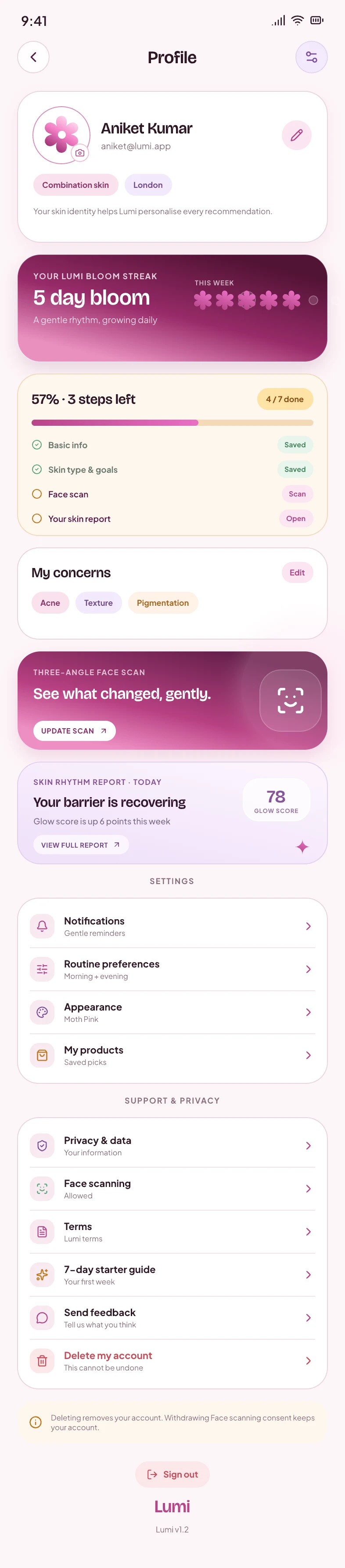
Profile
Your skin, your settings.
Your skin identity, bloom streak, concerns and latest report in one place, with clear controls for reminders, privacy and face-scan consent.
Once Lumi knows your skin, every product has to earn its place.
03Fit Score
Every product, scored for your skin.
Lumi matches each product's ingredients to your skin type and concerns, then gives it a Fit Score out of 100. Take the skin test above and every product here is scored from your answers.
Your skin first
Take the 20-second skin test first, and every product here gets scored for your skin.
Take the skin test
A score says what fits. Sometimes you want to ask why.
04Ask Lumi
Ask anything. Get a straight answer.
Lumi knows your scan, your routine and your budget, so the answer is about your skin. Careful where it matters: it says when to see a dermatologist.
A conversation with Lumi
You: Can I use retinol and niacinamide together?
Lumi: Usually, yes. Many people use niacinamide in the morning and retinol at night, or apply niacinamide first on retinol nights. If your skin stings or peels, space them out and start retinol two or three nights a week.
You call Lumi and say: My cheeks have felt tight since yesterday.
Lumi: That tightness is often your barrier asking for more moisture. Tonight, skip actives: a gentle cleanser, then a richer cream. If it stings, burns or spreads, see a dermatologist.
After the call, Lumi posts a recap in the chat: Recap from our call: tightness is often your barrier asking for more moisture. Tonight, skip retinol and use a gentle cleanser, then a richer cream. If it stings, burns or spreads, see a dermatologist.
Then you're in the aisle, bottle in hand, and the label won't talk.
05Label check
Point at the back of the bottle. Read it in plain English.
Snap an ingredient list and Lumi tells you what each one does, and which to watch for your skin. Run the lens over this sample label, or tap an ingredient.
Ingredients · Sample label
7 good3 caution1 avoid
- Ingredients:
Directions: Smooth a pea-sized amount over clean skin, morning and night. Patch test before first use.
Sample label for this demo. Not a real product.
Lumi says
CautionSalicylic Acid
A BHA that targets clogged pores. Can feel drying; go slow if your skin is sensitive.
General guidance, not medical advice. In the app it is weighed against your own scan.
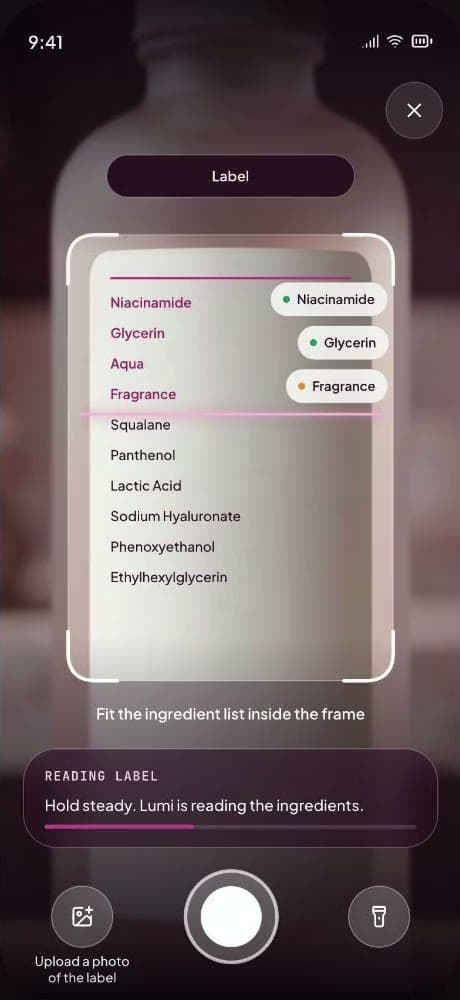
In the app
Snap the back of the bottle. Every ingredient comes back rated for your skin.
All of this starts with a photo of your face. So here's the deal.
06Privacy
Your face is yours. Full stop.
A skin app sees you up close. So the rules are short, and they don't have fine print.
Lumi in six lines
- Three angles, one scan.
- Plain words, not jargon.
- A routine for your skin, city and budget.
- Labels checked before you buy.
- Ask by text, or just say it.
- Your face, never sold.
Download
Get Lumi your way.
Free to use for now on Android. Google Play is the easy route and updates Lumi for you.
iPhone app coming soon
Leave your email and we'll tell you the day it's out.
Scan to download
Point your phone's camera here.
Opens Lumi on Google Play. Free on Android.
iPhone app coming soon
Leave your email and we'll tell you the day it's out.
Download APK — coming soon. The direct APK is on its way. Until it lands, Google Play is the way to install Lumi.
Your day's routine, AM and PM, in sync.
01/05A skin report from a three-angle scan.
02/05Each concern explained, with a plan.
03/05Check a product before you buy.
04/05Picks matched to your skin.
05/05FAQ
Good questions. Straight answers.
Anything else? Ask Lumi inside the app.
Is Lumi free?
Yes. Lumi is free to use for now, with nothing to pay: download it on Android and you get the whole loop, from face scan and skin report to routine, shop and safety answers.
How does the face scan work?
You take three photos: straight, left and right. A guide frames your face and quick tips keep each shot usable, so your cheeks and jawline are read too. Lumi looks at visible skin features across all three angles, marks what it sees on a map of your face, and gives you a skin score with readings such as hydration, texture and tone. It is an AI reading of photos, not a clinical exam, so good light helps and it can get things wrong.
Where does Lumi's advice come from?
From widely published dermatology guidance on ingredients and routines: sunscreen every morning, gentle cleansing, a barrier kept intact, one new product at a time, and a patch test before anything new goes on your whole face. Lumi explains it in plain English for your skin type and concerns, covering sunscreen, breakouts, dark spots, hydration and oil, the skin barrier, fine lines and reading an ingredient list. It sticks to what is generally understood about cosmetic care, and when something needs a professional it says so instead of suggesting another product.
Is this medical advice?
No. Lumi is not a doctor and not a medical tool. It does not diagnose or treat anything. If a skin problem worries you, or it is painful, spreading, bleeding or not getting better, see a dermatologist or doctor.
Should I patch test new products?
Yes. Try anything new on a small patch of skin first and see how your skin reacts before it goes on your whole face. Stop using anything that stings, burns or causes a rash.
Does this website take photos of my face?
No. This website never asks for or uploads a photo of your face. The skin quiz and the quick check here are questions only. The face scan lives in the Lumi app, and it asks for your consent before the camera opens.
What happens to my photos in the app?
They are used to build your skin report and routine, and nothing else. Your photos and skin data are never sold, and never shared with advertisers or data brokers. Delete your account from inside the app and your data is deleted with it.
Read the privacy policyWho is Lumi for?
Adults 18 and over who want a routine that fits their skin, their city and their budget, whether you're starting from zero or already have a shelf full of products. It is built for everyday cosmetic care. If you're treating a diagnosed skin condition or using a prescription, your dermatologist's plan comes first.
Does Lumi sell products?
No. Lumi matches each product's ingredients to your skin type and concerns and gives it a Fit Score out of 100, then compares approximate prices across stores within the budget you set, so you choose where to buy. Some store links may be affiliate links, and they never change a product's Fit Score.
Is Lumi on iPhone?
iOS is in the works. For now Lumi is on Android through Google Play.